If your WAN IP address changes dynamically and you'd like to receive the updated IP via email, this MikroTik script will help you do just that. This guide assumes you're connected via Winbox and have already configured the internal email client.
🎥 Video Tutorial
📍 Steps to Set Up
1. Open Winbox
Connect to your MikroTik router using Winbox.

2. Configure the Script
Go to:
System → Scripts
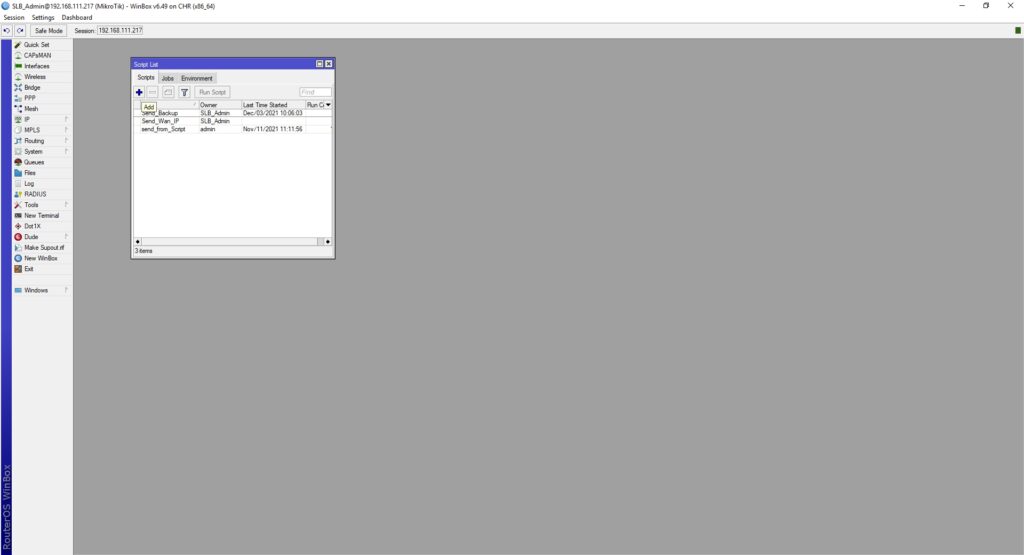
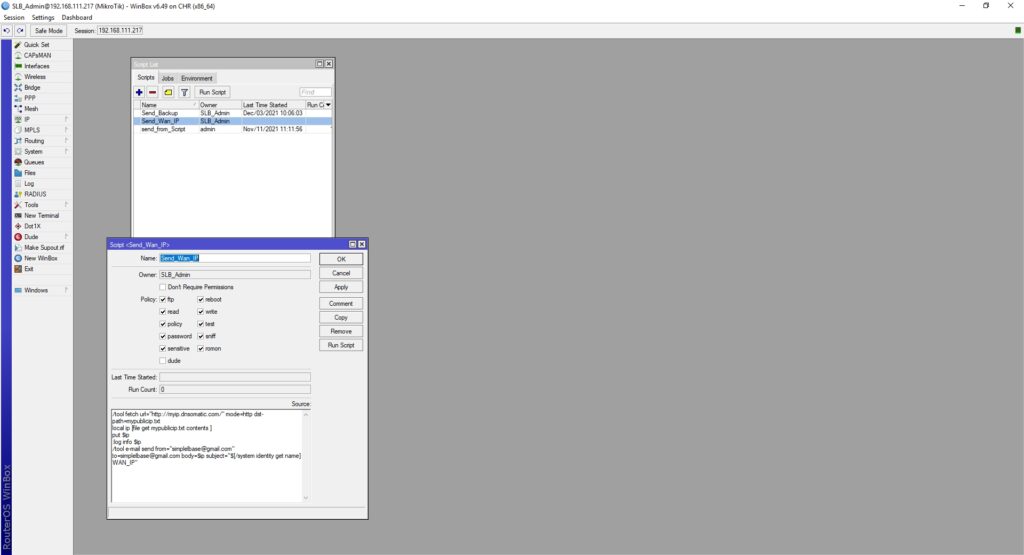
 Click Add New Script and enter the following details:
Script Name:
send-wan-ip
Script Code:
/tool fetch url="http://myip.dnsomatic.com/" mode=http dst-path=mypublicip.txt
local ip [file get mypublicip.txt contents ]
put $ip
:log info $ip
/tool e-mail send from="simplelbase@gmail.com" to="simplelbase@gmail.com" body=$ip subject="$[/system identity get name] WAN_IP"
3. Test the Script
- Save the script.
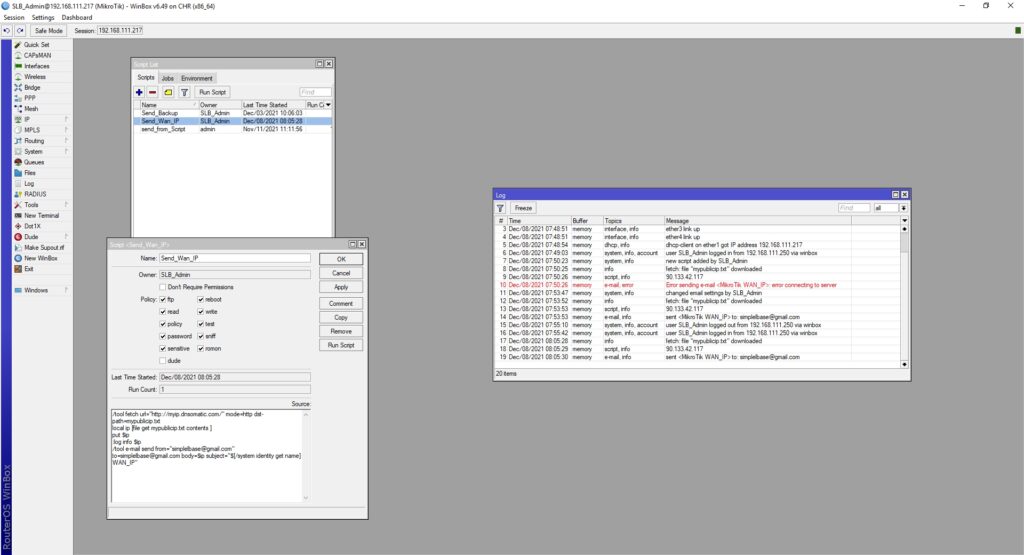
- Run it manually.
- Check the log for output.
- Ensure the email is received.
⏰ Optional: Add to Scheduler
To automate the process, add the script to the Scheduler:
Go to: System → Scheduler Click Add New and fill in the following:
- Name:
send-wan-ip-daily - Interval:
1d 00:00:00(runs daily) - On Event:
/system script run send-wan-ip
✅ Result
You will receive an email with your current WAN IP address whenever the script runs, helping you stay updated on your network’s external IP—ideal for remote access setups or dynamic DNS alternatives.