🎥 Video Tutorial
🚀 Getting Started
Follow these steps to benchmark Duino Coin on an Arduino UNO using the deprecated miner version 2.7.4.
🔽 1. Download Duino Coin
Clone the latest version from GitHub:
git clone https://github.com/revoxhere/duino-coin.git
📁 2. Open Arduino Code
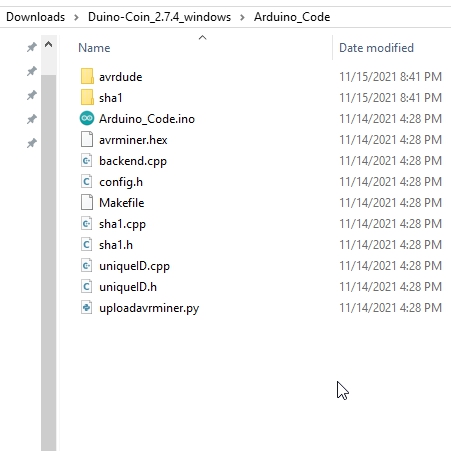
Navigate to the Arduino_Code folder and open the Arduino_Code.ino file in the Arduino IDE.
🛠️ 3. Select Board and Port
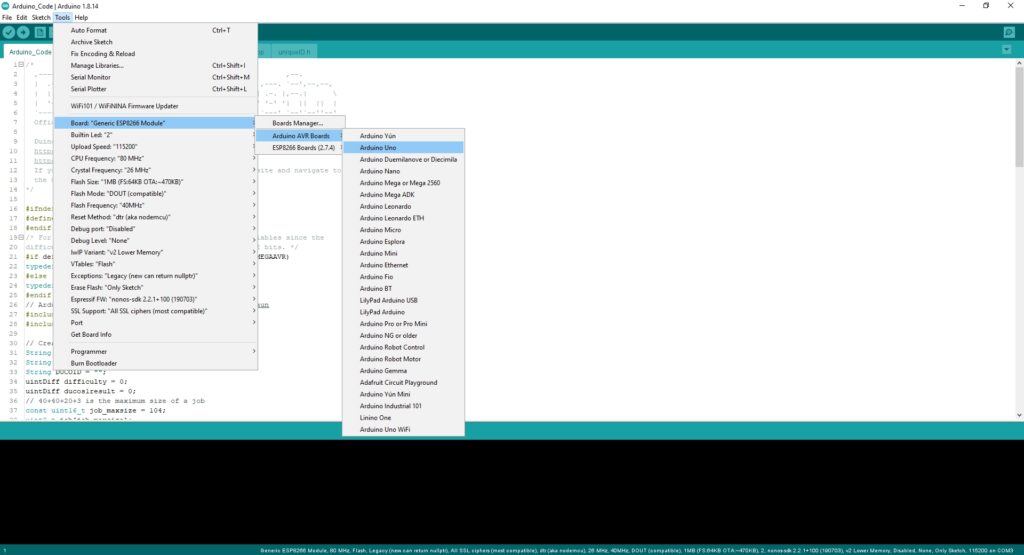
- ✅ Choose your Arduino UNO board from the Board Manager
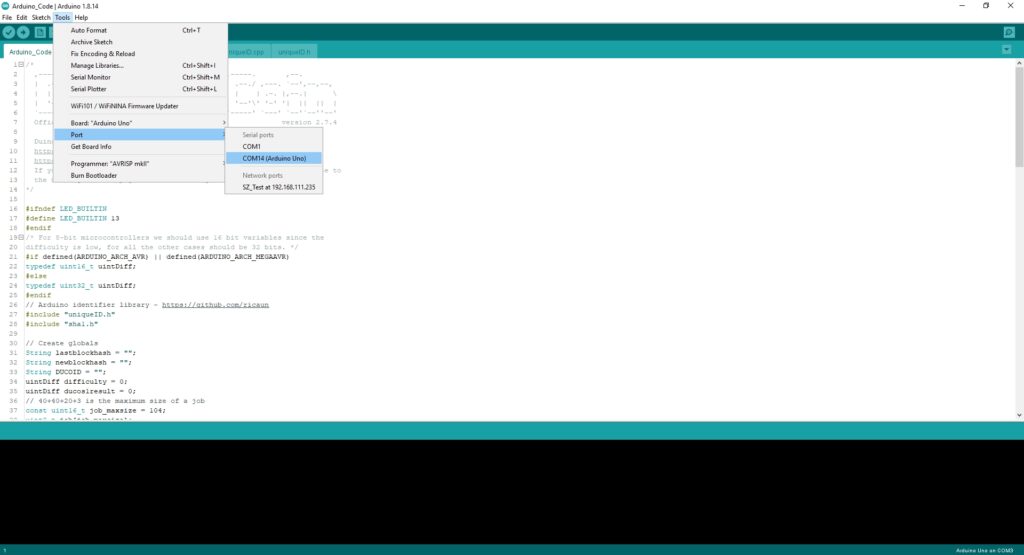
- 🔌 Select the COM port your Arduino UNO is connected to
⬆️ 4. Upload the Code
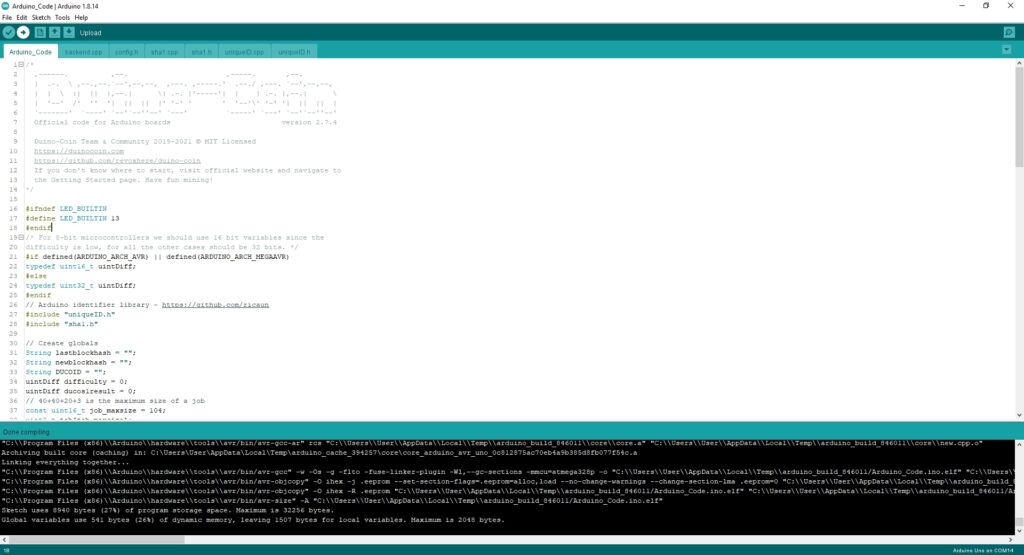
Upload the code to your Arduino UNO board.
🧑💻 5. Run the AVR Miner
Navigate to the duino-coin folder and run the AVR miner.
🖊️ When prompted:
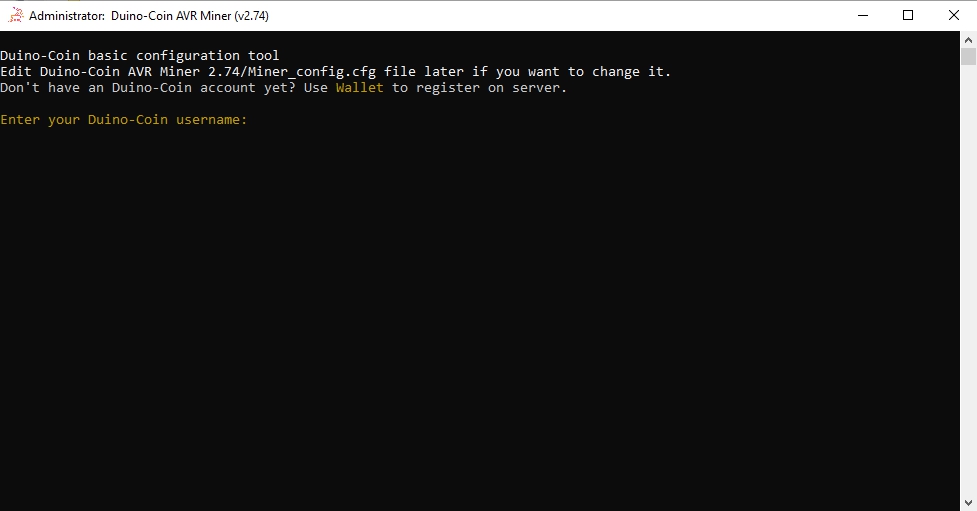
- Enter your Duino-Coin username
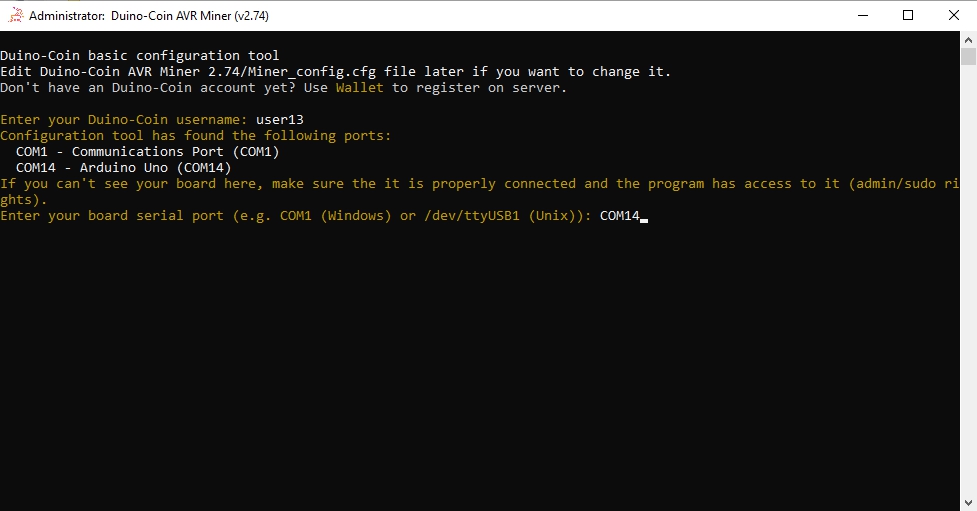
- Enter the COM port (where your Arduino is connected)
- (Optional) Enter a rig name — I used
UNO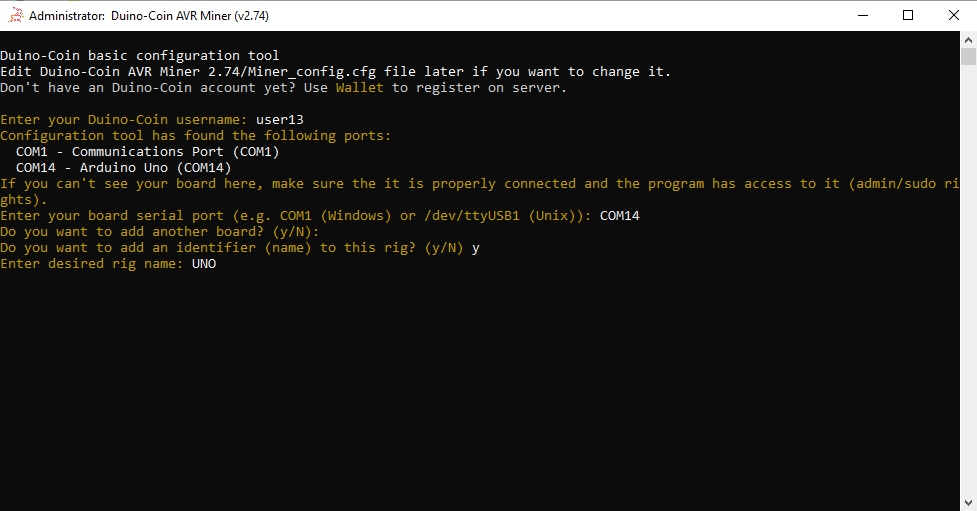
⚡ Result
The miner will start and show a hashrate of:
🟢 194 H/s
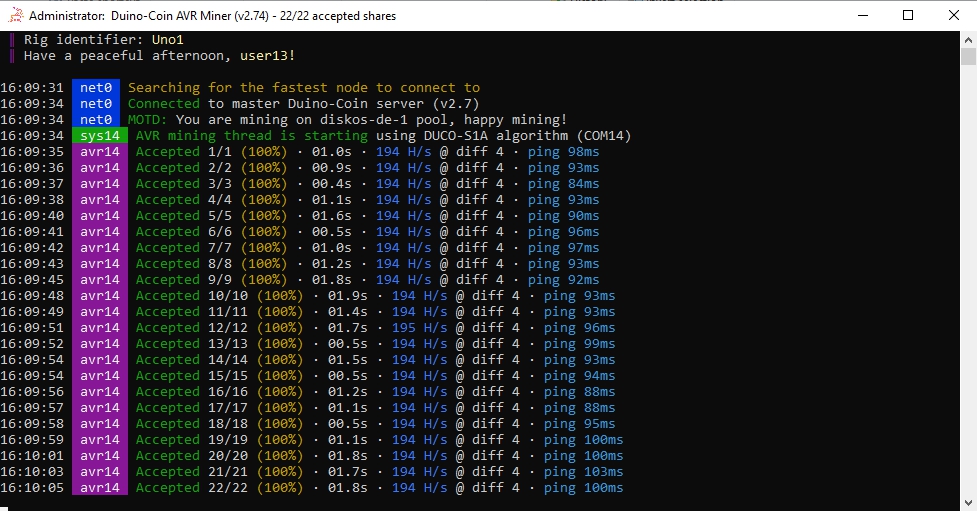
✅ You're now mining Duino Coin with an Arduino UNO using the deprecated AVR miner!
📌 Note: For better performance and support, consider using a newer version of the miner or a different microcontroller.