Today I continue testing Duino Coin mining performance on various devices. This time it's the Xiaomi Mi TV Stick 🛰️. I pre-installed the UserLAnd app and set up Ubuntu on it 🐧.
🎥 Video Tutorial
🔧 System Preparation
 📦 First, update repositories:
sudo apt update
 📥 Then install the necessary packages:
sudo apt install python3 python3-dev python3-pip git curl
 🖥️ I also installed
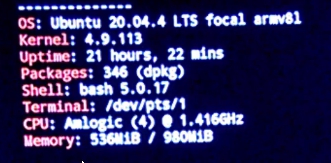
 neofetch to check system specs:
 * OS: Ubuntu 20.04
* CPU: Amlogic, 4 cores @ 1.41 GHz
* RAM: 1 GB
* OS: Ubuntu 20.04
* CPU: Amlogic, 4 cores @ 1.41 GHz
* RAM: 1 GB
⛏️ Cloning & Running the Miner
📁 Clone the Duino Coin miner from GitHub:
git clone https://github.com/revoxhere/duino-coin.git

cd duino-coin
 📦 Install
 requests module:
pip3 install requests
 ▶️ Run the miner:
python3 PC_Miner.py
 ⚠️ Encountered an issue with
 psutil not installing.
🔄 Tried upgrading pip:
python3 -m pip install --upgrade pip


 ❌ Still got errors, even after retrying.
🛠️ Finally, using sudo fixed the issue:
sudo pip3 install psutil

 🎉 Now the miner starts successfully!
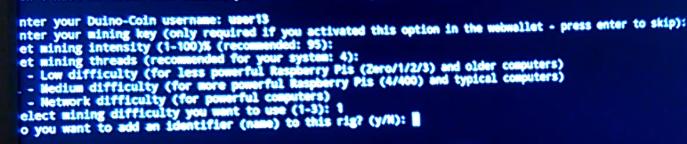
🧾 Enter your:
- Username 👤
- Mining key 🔑
- Intensity ⚙️
- Threads 🧵
- Difficulty 🎯
- Identifier 🏷️
- Donation 💰
 🚀 Initial speed (no FastHash): \~457 kH/s
 🛑 Stopped mining with
 CTRL+C
⚡ Compiling FastHash for Speed Boost
📥 Download Rust compiler:
curl --proto '=https' --tlsv1.2 -sSf https://sh.rustup.rs/ | sh
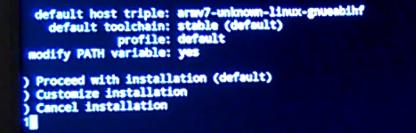
 Choose:
 1) Proceed with installation
 🔁 Enter environment:
source $HOME/.cargo/env
 📦 Download FastHash source:
wget https://server.duinocoin.com/fasthash/libducohash.tar.gz

tar -xvf libducohash.tar.gz

cd libducohash

🛠️ Compile FastHash module:
cargo build --release
 📁 Enter release folder and copy library:
cd target/release/

cp libducohasher.so ~/duino-coin/

cd ~/duino-coin/

▶️ Run miner again:
python3 PC_Miner.py
 🎉 Now using FastHash acceleration!
 ⚡ Average mining speed with FastHash: 2.68 MH/s 🚀
