⚙️ Duino Coin Benchmark on Lenovo Yoga 💻
Today I continue testing the performance of Duino Coin on various hardware setups.
This time, I’m running the miner on a Lenovo Yoga with an Intel i3-6006U CPU 🔋💨
🎥 Video Tutorial
🧰 Step-by-Step Setup
- 📦 Download the Duino Coin miner release from GitHub.
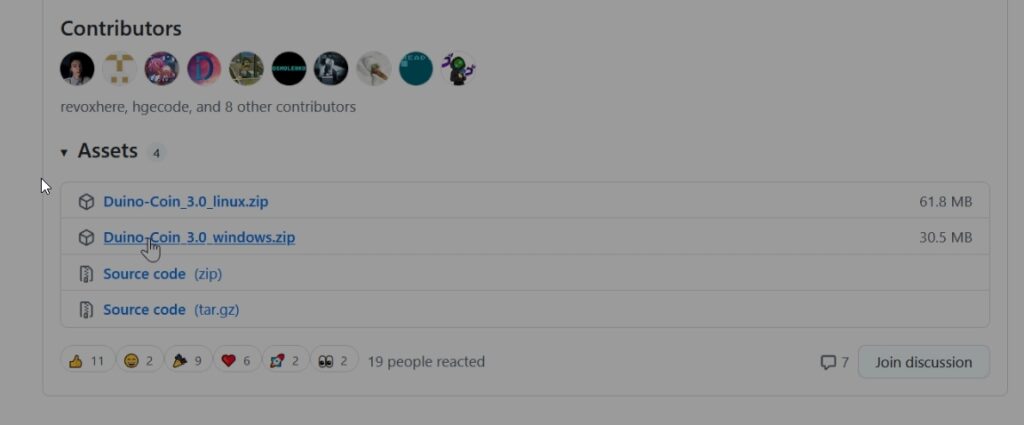
- 🗜️ Extract the archive.
- ▶️ Run
PC_Miner.exe.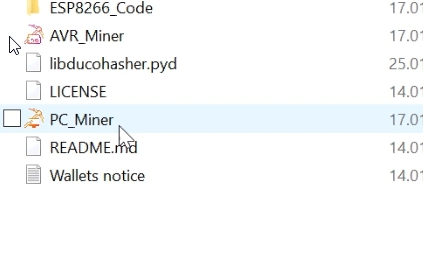
🧾 Miner Setup
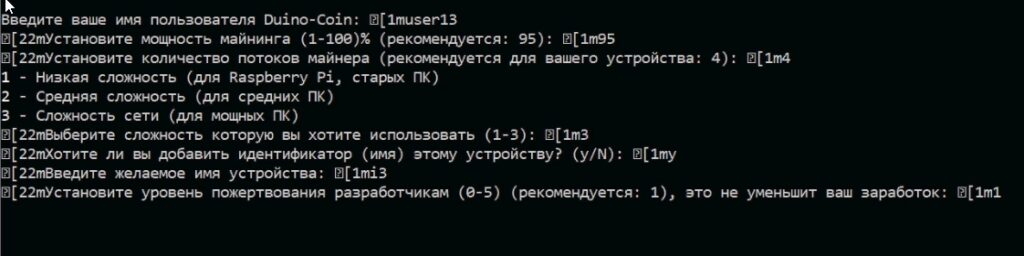
When the miner starts, it will ask for several settings:
- 👤 Username: Enter your Duino Coin wallet username.
- ⚙️ Mining intensity: Recommended — 95%.
- 🧵 Threads: Use all available cores for best performance.
- 🎯 Difficulty: Choose your preferred level (I used High).
- 🏷️ Rig identifier: Add a custom name for your rig (optional but helpful).
- 💰 Developer donation level (0–5): I set it to 1 (recommended, doesn’t reduce earnings).
🚀 Results
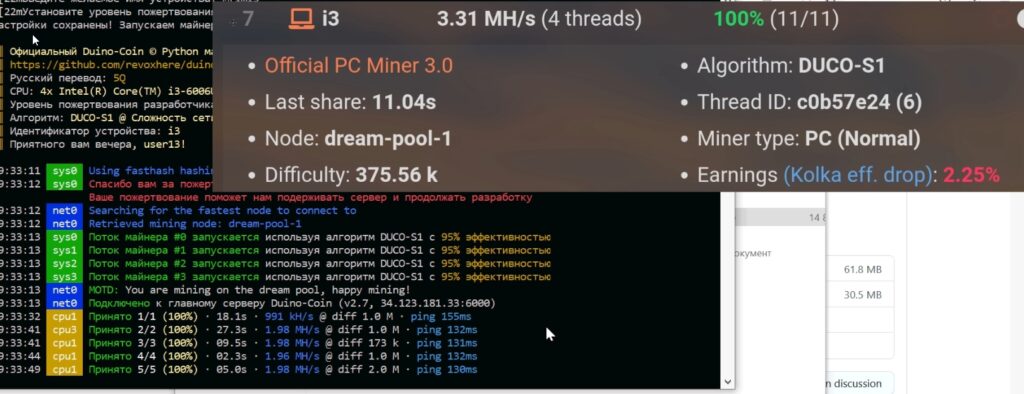
After starting the miner, the average mining speed reached 3.31 MH/s ⚡🔥