🎥 Video Tutorial
⚙️ Duino Coin Mining on Orange Pi Zero 🟧
In this test, I set up and ran the Duino Coin miner with FastHash acceleration on an Orange Pi Zero single-board computer 🍊💻. Here’s how to get it running step-by-step 👇
🧰 System Setup
- 🧠 Install Armbian on your Orange Pi Zero.
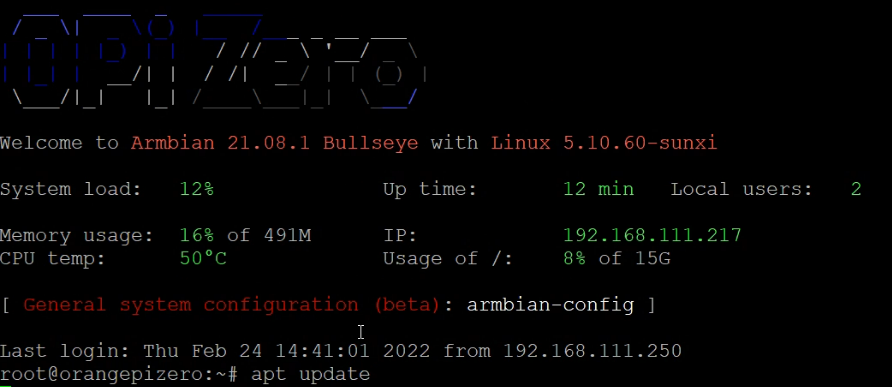
- 🔄 Update package lists:
sudo apt update
- ⬆️ Upgrade existing packages:
sudo apt upgrade
 4. ⚙️ Install required software:
sudo apt install git python3 python3-pip python3-dev
 💡 The miner will later automatically download the FastHash acceleration module.
🧩 Setting Up the Miner
- 📥 Clone the Duino Coin repository:
git clone https://github.com/revoxhere/duino-coin.git
 6. 📂 Enter the cloned directory:
cd duino-coin
 7. 📦 Install required Python packages:
pip3 install requests
 8. ▶️ Run the miner:
python3 PC_Miner.py
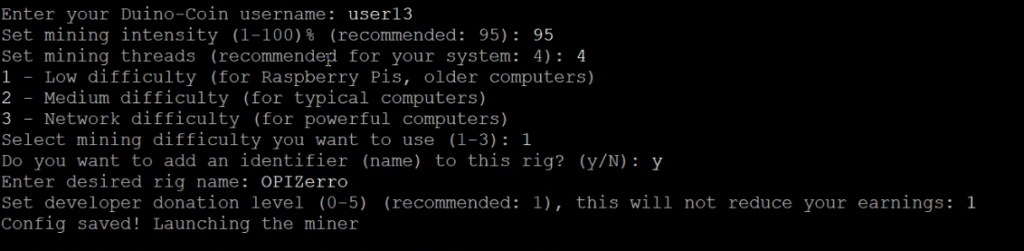
 9. ✍️ Enter requested information:
- Username 👤
- Mining key 🔑
- Intensity ⚙️
- Threads 🧵
- Difficulty 🎯
- Identifier 🏷️
- Donation level 💰
⚡ Performance Result
 🚀 The miner automatically downloads and uses the FastHash module.
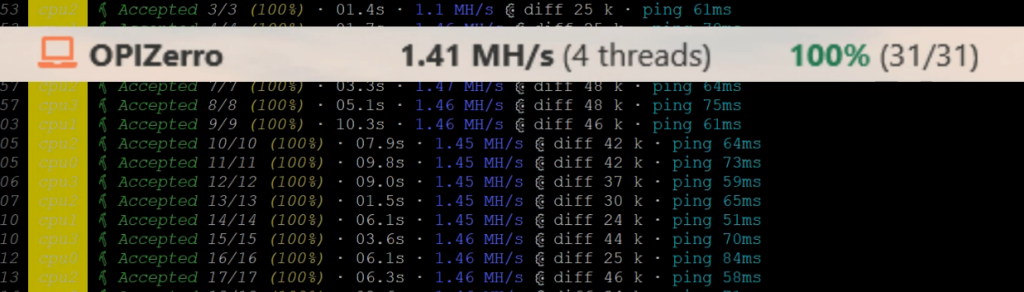
Average mining speed on Orange Pi Zero: 1.41 MH/s ⚡🔥
🚀 The miner automatically downloads and uses the FastHash module.
Average mining speed on Orange Pi Zero: 1.41 MH/s ⚡🔥